Apr
14
2010
I haven’t been able to send e-mails through my local mail client since today. I received an error message which guided me to this Swisscom webpage. Swisscom blocks all SMTP connections on port 25 if they don’t connect to a Swisscom mail provider like e.g. bluewin.
Swisscom has started operating an additional spam filter on the DSL network. This filter now also checks e-mail from free e-mail providers such as GMX, Google Mail and Hotmail if the e-mail is sent from a Swisscom connection … As a result of the introduction of the new spam filter, e-mail that is sent with SMTP authentication via port 25 can no longer be sent.
So I changed the SMTP port in my mail client from 25 to 587. But the server didn’t accepted the port. Thanks to rinetd a port redirection is installed in a few seconds and everything worked fine again.
So I hope spam gets less in the future and the trouble for other people (who may have more problems like me with this huge change) pays off.
1 comment | tags: technical
Nov
17
2009
GND42 published his brand new website about the “Anatolia Express 2009″ also known as “Race Across ANatolia”. Grab it while its hot!

no comments | tags: cycling, webtip
Nov
7
2009
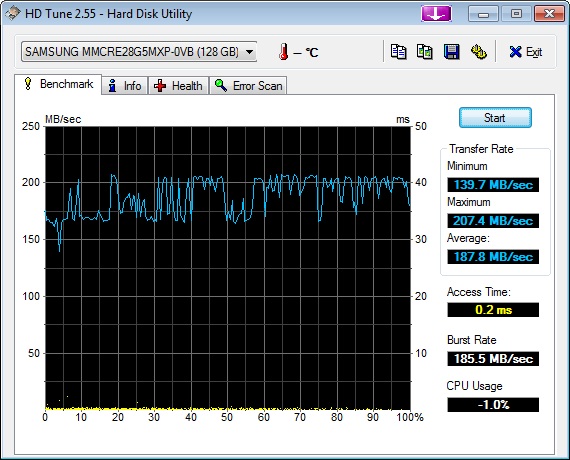
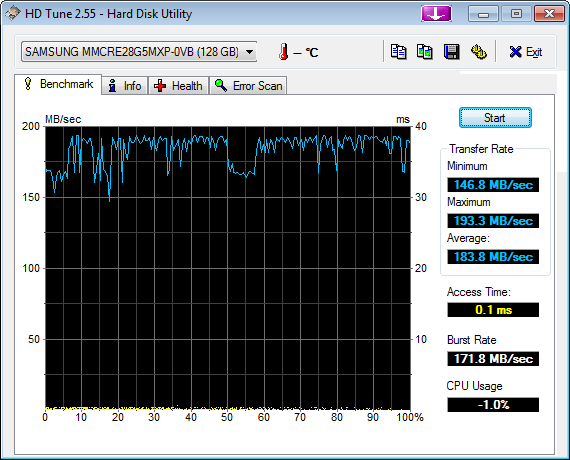
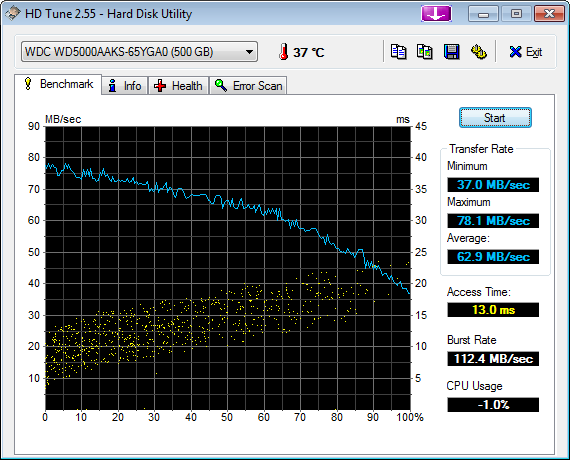
Last weekend I upgraded my 3 year old PC (Windows XP, Core2Duo E6600, 4GB Ram, Nvidia 7900GS) and put in a new SSD hard drive (Samsung SSD PB22-J MLC, 128GB) and installed Windows 7 (Professional 64bit, English) on it.
The SSD is nearly 3 times faster than my old Western Digital traditional hard drive. But some people say that the speed gets worse by the time. So we will see.
I skipped Windows Vista, but Windows 7 RC impressed by his performance and stability. And Windows 7 does too.
- It recognized all hardware and installed actual drivers.
- Booting and shutting down are extremely fast.
- Working on the desktop is real fun.
- There is so far only one program which didn’t worked, so I installed the Windows XP Mode and now it integrates seamlessly into the Windows 7 desktop.
In conclusion, I have to say that it feels like an new PC.

no comments | tags: technical, windows
Jul
20
2009
Sorry, but I need to do an extra post about the “geo twittering” I told you about yesterday. Why? Because it’s actually pretty cool.
At our first tours, we created the corresponding google maps after the tour. At our last tours, we used GPS trackers (Christain & Jan) and postet them as we have had an internet connection. But now in Anatolia, we dont expect to have internet so regulary. So we tried twitter:
Twitter is a service for friends, family, and co–workers to communicate and stay connected through the exchange of quick, frequent answers to one simple question: What are you doing?
But the most cool feature ist that you can update your status via mobile. Just send an SMS to a twitter number, and they update your status. You can also change your location, but you dont have a location history. To solve this problem, we use the status update as location history. So we try to send our GPS coordinates at least once a day (maybe more often) and a status upate (short roundup of the day) via mobile (have a look at my twitter page to see what I mean).
<technical stuff>
Now I’m grabbing the latest status updates via the twitter api, parse the result via regexp for the coordinates and the status message and create a javascript file where I write all the selected data into.
Christian includes this file into his OpenStreetMap map. And shows the data as points on the map.
</technical stuff>
Now you can go to this map and track were we have been today and the days before.
Including time/date and the roundup of the day. You can also switch between different layers (yahoo, bing or google maps) and select the view you like most.
geo twittering, it’s eays as this.
no comments | tags: cycling, programming
Jul
19
2009
Anything forgotten? Don’t hope so. T’bilisi here we come!
For more infos visit http://gnd42.blogspot.com/.
no comments | tags: cycling, vacation